
Your whole WhatsApp business, in your pocket.
Watch the AI talk to customers in real time, jump in with a message, a photo or a voice note, and get alerted the moment someone new writes in. If you use WhatsApp, you already know how to use it.
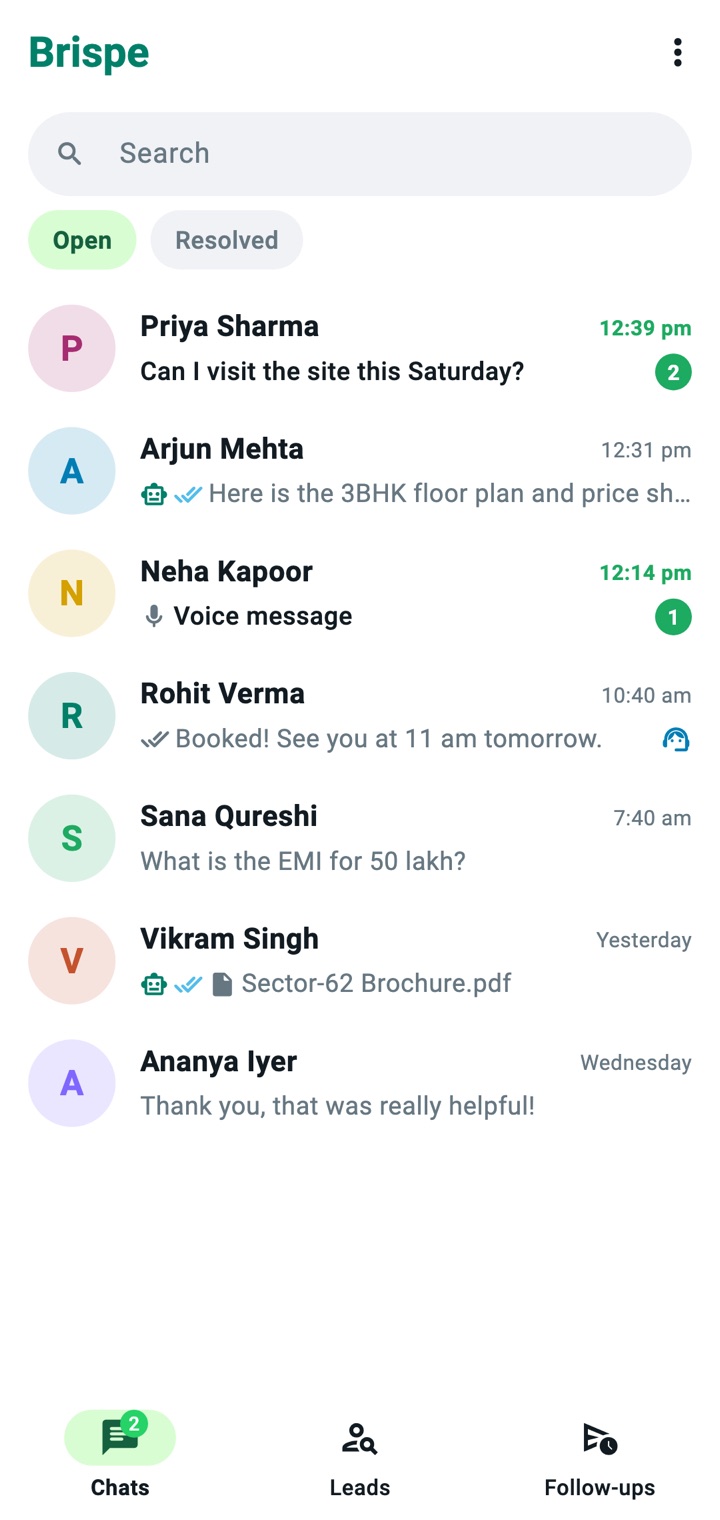
Messages appear the instant they arrive.
No pulling down to refresh. New customer messages, AI replies and your team's messages show up live, with WhatsApp-style ticks: one when sent, two when delivered, blue when read.
- Your reply appears the moment you hit send
- Failed messages are clearly marked, with the reason and a Retry button
- Take over from the AI, resolve or reopen a chat in one tap
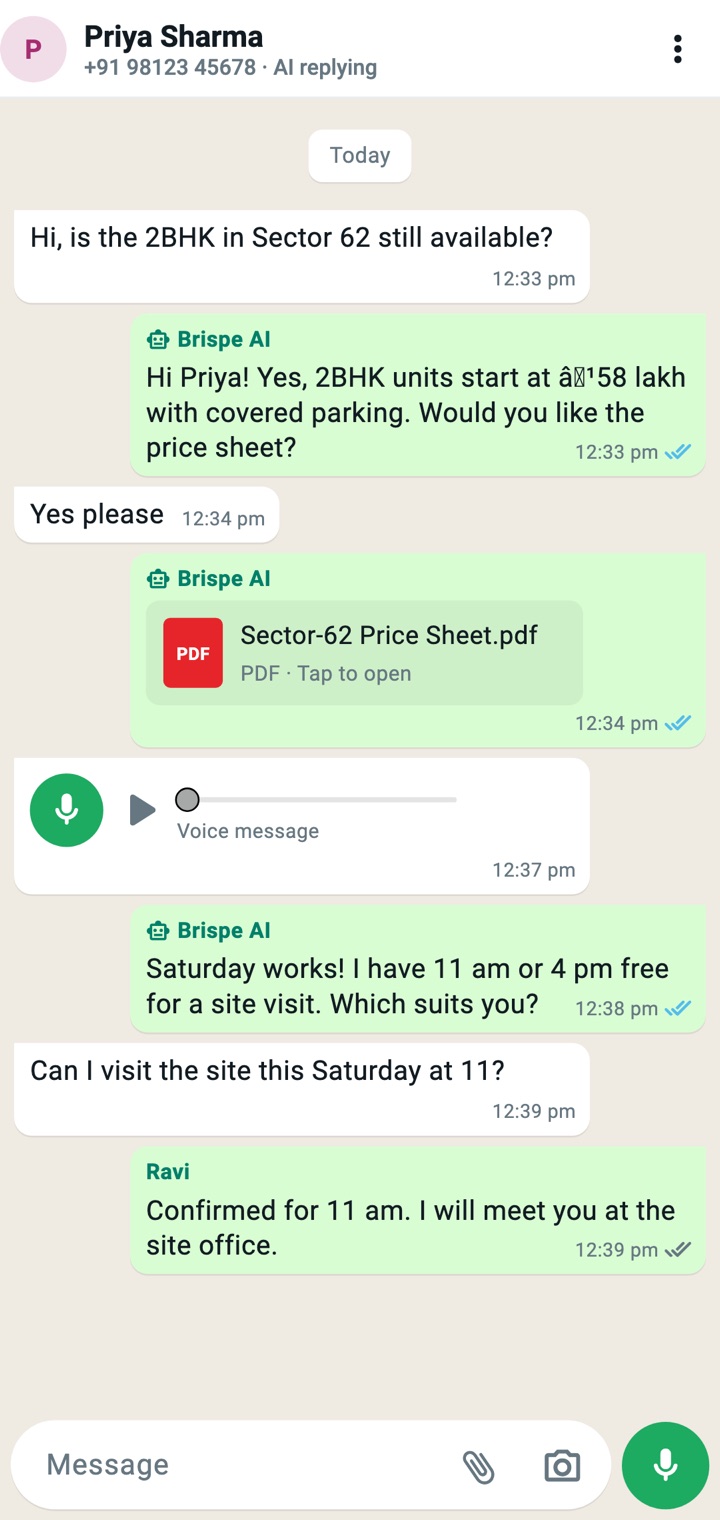
Photos, documents and voice notes — just like WhatsApp.
Snap a photo of a product, attach a quotation PDF or record a quick voice note. It reaches the customer's WhatsApp as a proper photo, document or voice message.
- Camera, gallery, documents and audio files
- Tap to record a voice message
- Play customers' voice notes and zoom into their photos
Photos & camera
With a caption, like on WhatsApp.
Voice notes
Arrive as real WhatsApp voice messages.
Documents
PDF, Word, Excel, PowerPoint.
Videos
Short clips straight from your gallery.
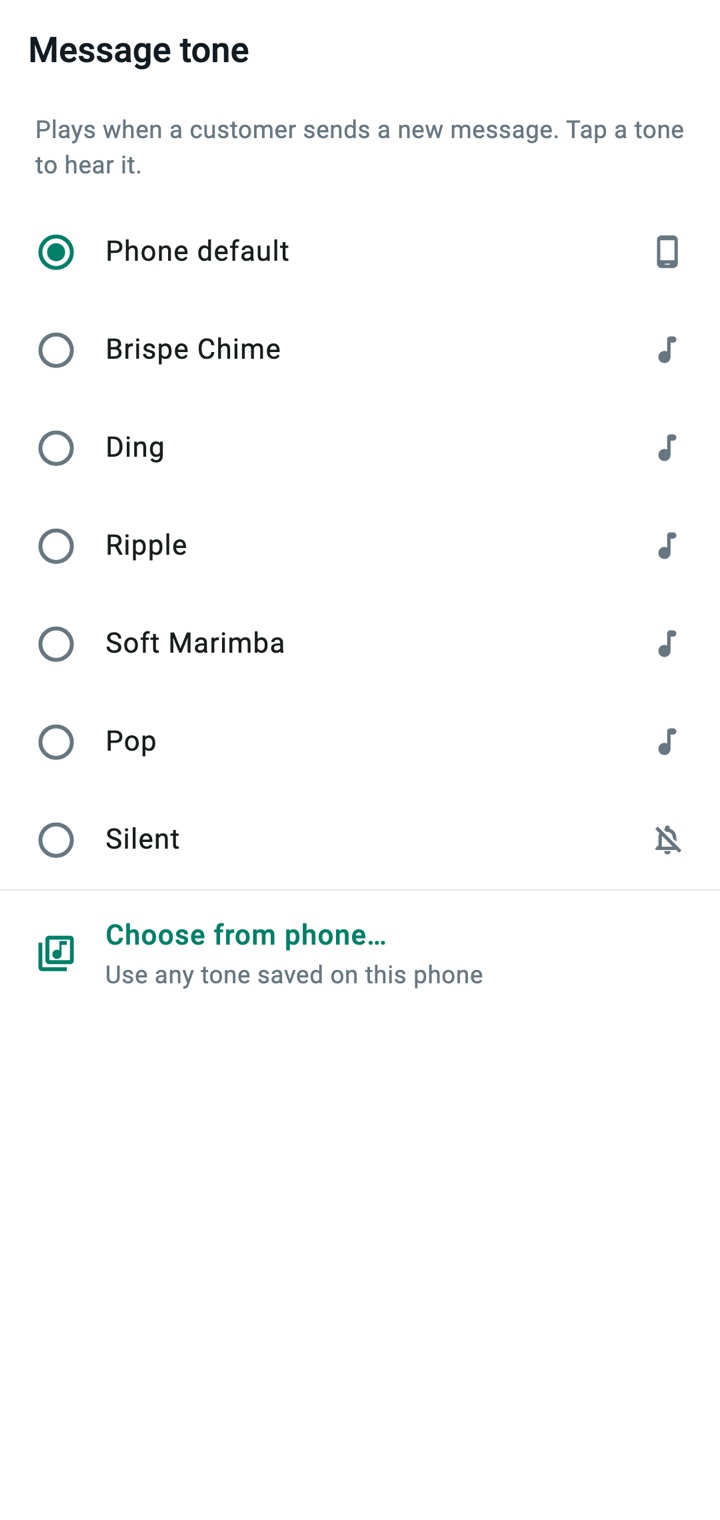
Instant alerts, with your own tone.
Get a notification the moment a customer writes in, even when the app is closed. Choose a Brispe tone or any sound already on your phone, so you always know it's business.
- Push notifications even when the app is closed
- Tap a notification to jump straight into that chat
- Pick from Brispe tones, your phone's sounds or silent
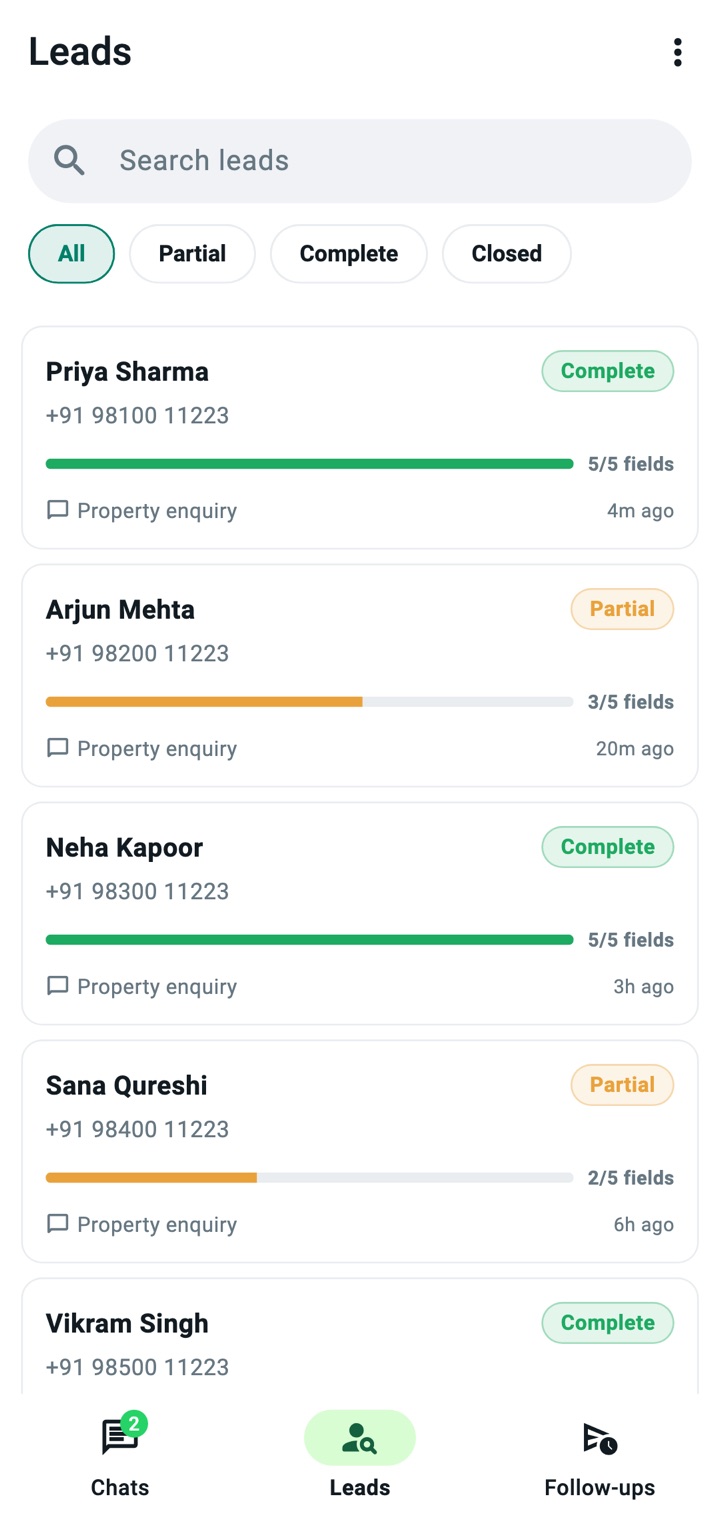
Your sales pipeline, one tap away.
Every lead with its stage, owner and source. Filter in a tap, call straight from the app and note how the call went. Today's follow-ups and callbacks become a calling list you go through one by one.
- Add a lead in seconds: someone who called, walked in or messaged your personal WhatsApp
- After every call, save the result and the next follow-up
- On Android, calls with your leads are added to the lead with the talk time, and a missed call becomes a callback. Your personal calls are never stored, and calls are not recorded
Get Brispe on your phone.
The Android app is free with every Brispe account. Download it, install it and log in with your business WhatsApp number.
- Tap Download for Android on your phone.
- Open the downloaded file. If your phone asks, allow Install unknown apps for your browser, then tap Install.
- Open Brispe and log in with the WhatsApp number you use on Brispe.
iPhone app: coming soon. Until then, use the web dashboard in Safari.